Build the channel list
Add inputs, set channel names, and choose colors alongside the rest of your rider.
Name and color every input once in your rider. Export a console-ready file, copy it to USB, and load it before soundcheck—without rebuilding your scene.
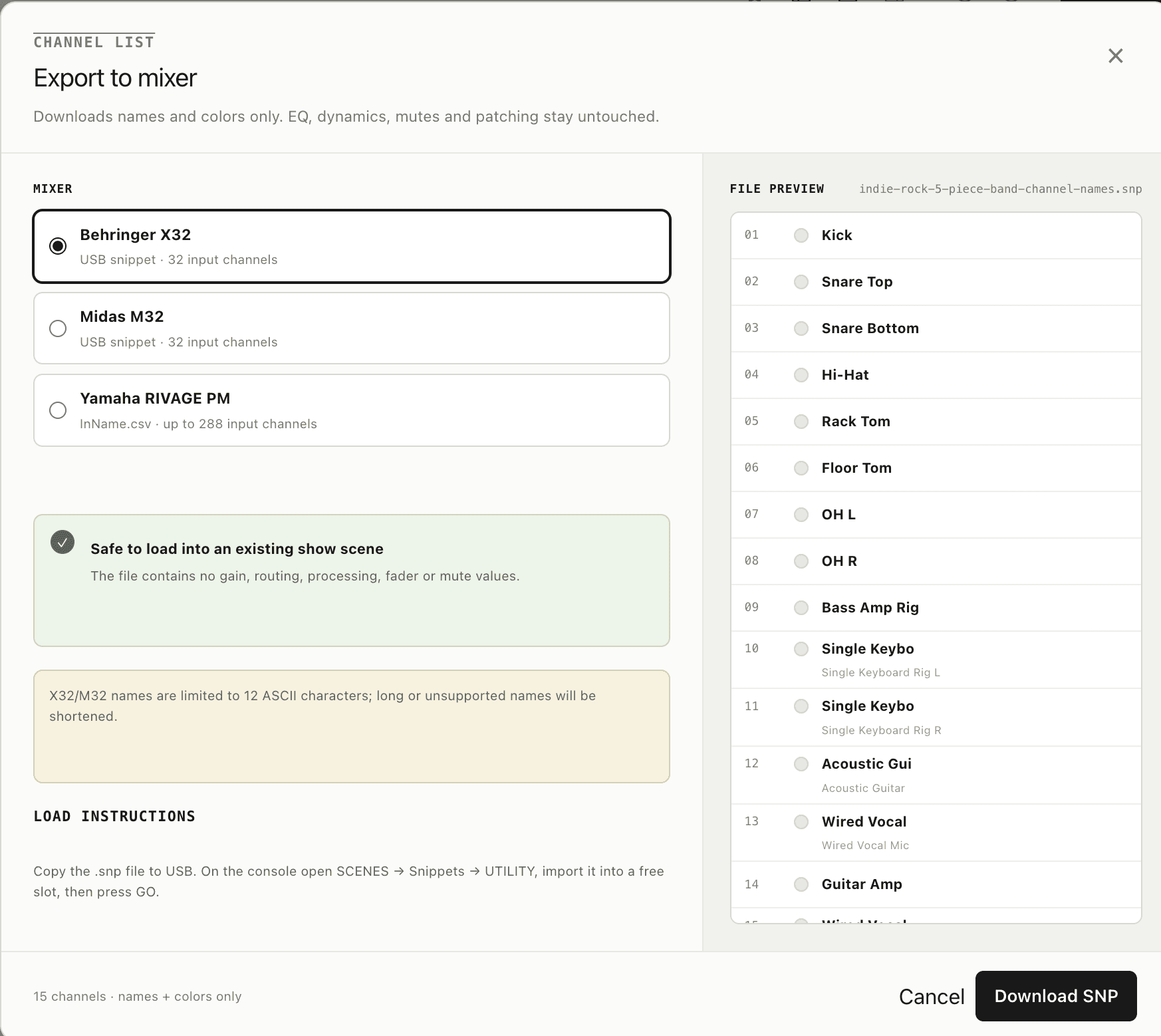
Names
Console-ready labels, shortened only when the mixer requires it.
Colors
Your rider's channel colors mapped to the console palette.
Nothing else
No gain, patching, processing, faders, mutes, or routing.
From rider to console
The file is generated from the channel list open in your editor, so last-minute name and color changes appear in the download immediately.
Add inputs, set channel names, and choose colors alongside the rest of your rider.
Open the three-dot menu, select Export to mixer, and preview the exact file output.
Copy the file to USB, import it on the console, and start with labeled channels.

Experienced engineers ask what a file will overwrite before they load it. This export has a deliberately narrow boundary: channel identity, not audio state.
Supported mixers
Behringer
.snp · 32 inputs
Import from SCENES → Snippets → UTILITY, choose a free slot, then press GO.
Midas
.snp · 32 inputs
Uses the same focused snippet workflow as X32, containing names and colors only.
Yamaha
InName.csv · 288 inputs
Import the channel-name CSV directly through the RIVAGE PM file workflow.
15-second demo
A quick look at the complete path from channel list to mixer-ready file.
Only channel names and colors. The file contains no gain, routing, patching, EQ, dynamics, fader, mute, or processing values.
Techrider.live currently exports USB snippets for Behringer X32 and Midas M32, plus InName.csv files for Yamaha RIVAGE PM consoles.
Yes. Because the export is limited to channel names and colors, it can be loaded into an existing show scene without replacing its audio settings.
All personal features are free forever: unlimited riders and stage plots, no expiration, unlimited PDF and mixer exports, live sharing, version history, templates, and AI assistance. No credit card required.
Ready for show day
Build the rider, export the names and colors, and keep soundcheck for sound.
Start creating for free