01 · Visual planning
Stage Plot Builder
Build a clear, venue-ready stage plan with performers, instruments, monitors, power, risers, and production notes on one measured canvas.
Explore Stage Plot Builder →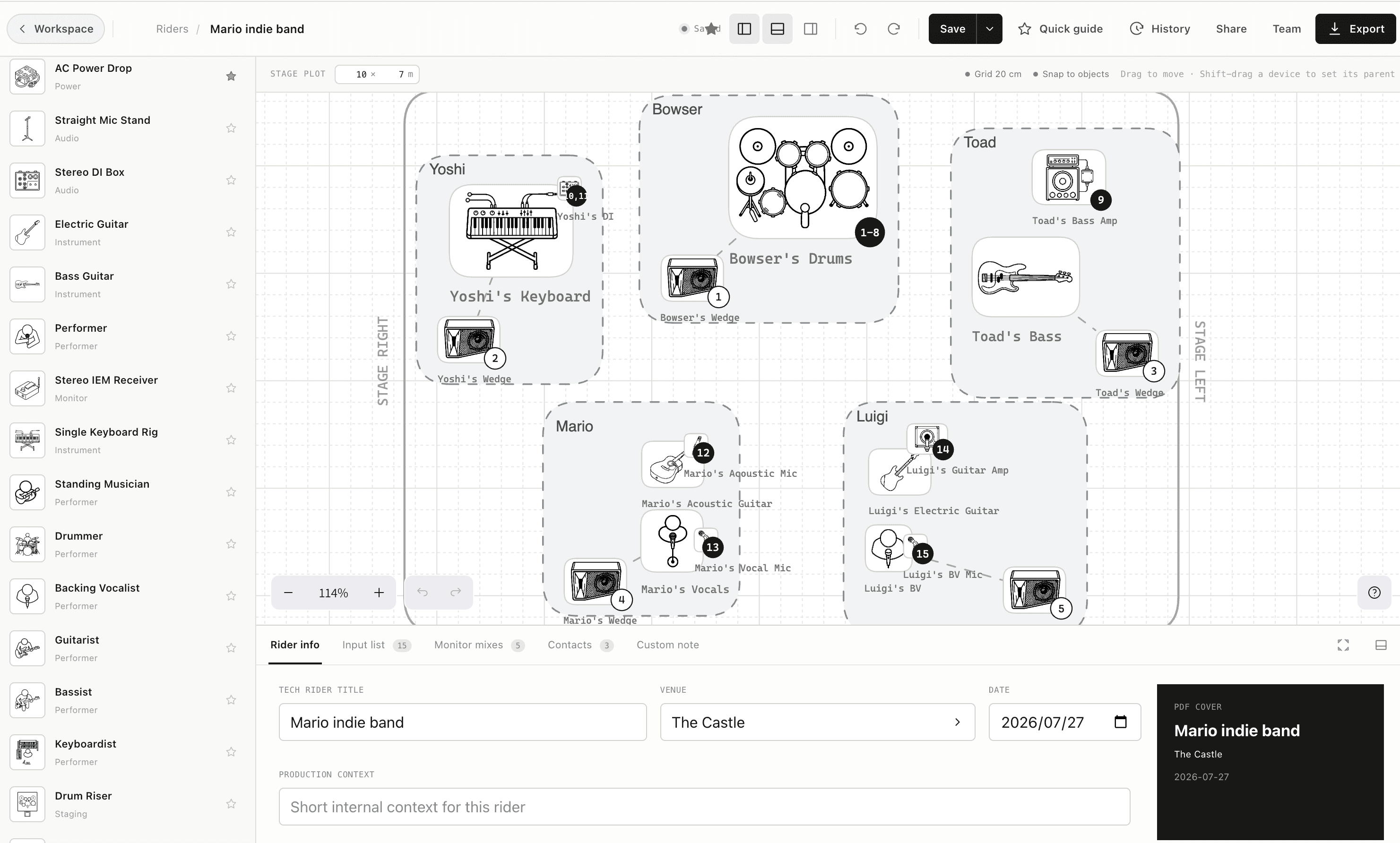
One connected rider
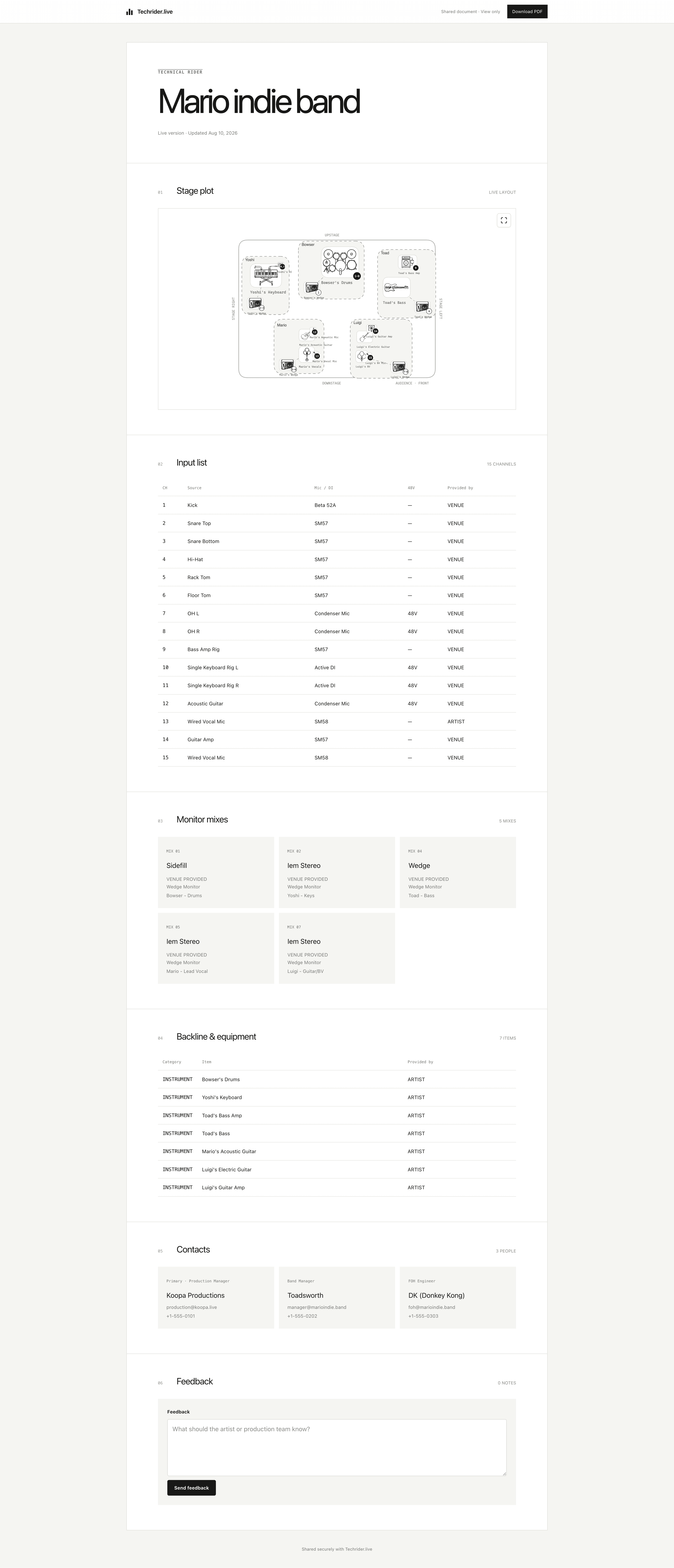
Stage plots, channel lists, monitor mixes, contacts, sharing, PDF, and mixer export stay in one production workflow—so every handoff starts from the same show.
Core workflow
Each part can stand on its own, but the real advantage is the connection between them: a stage change can remain visible in the technical handoff that follows.
01 · Visual planning
Build a clear, venue-ready stage plan with performers, instruments, monitors, power, risers, and production notes on one measured canvas.
Explore Stage Plot Builder →02 · One source of truth
Turn stage objects into an ordered channel list, then keep labels, microphones, DIs, stands, phantom power, and ownership aligned.
Explore Synced Input Lists →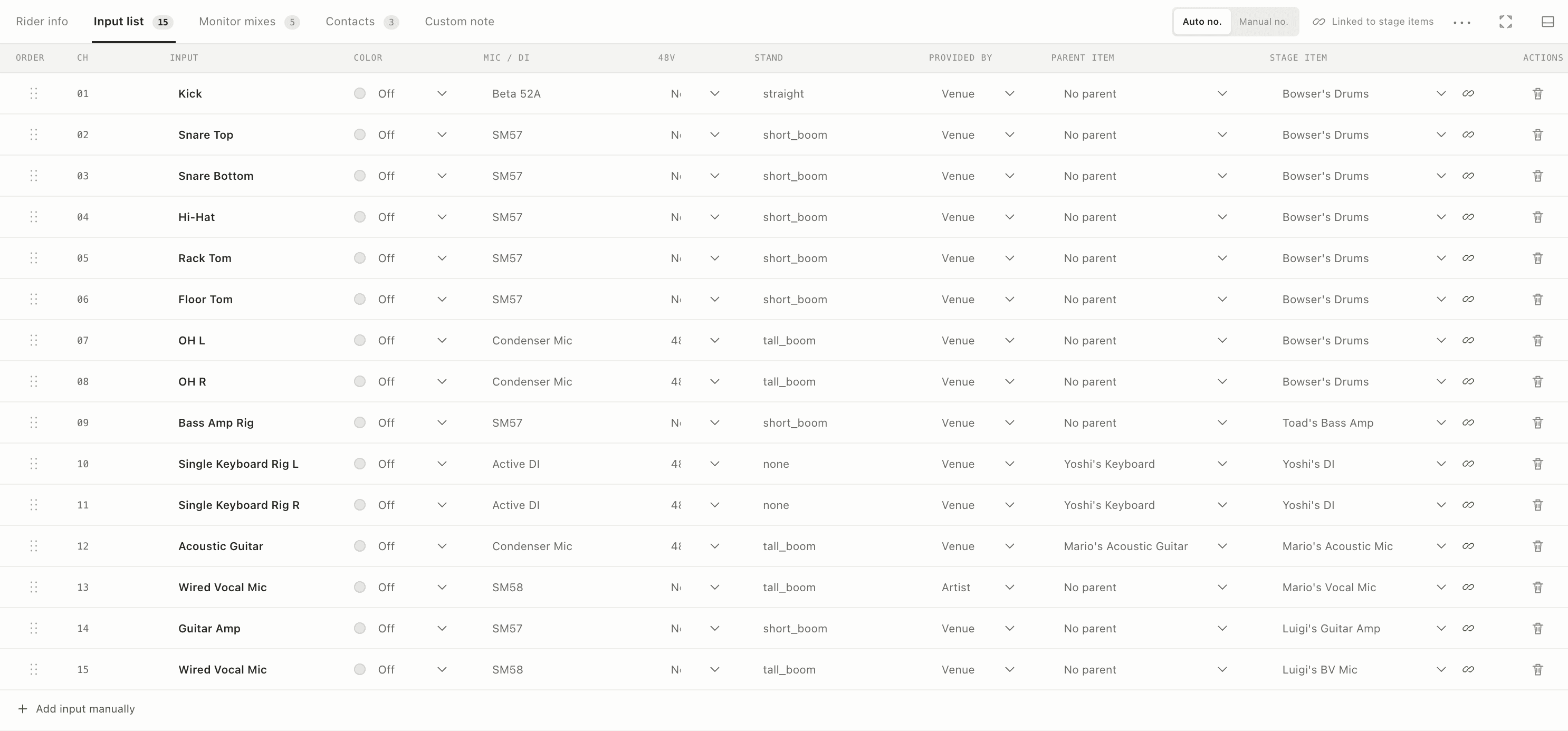
03 · Monitor workflow
Plan wedges and IEMs with mono or stereo outputs, clear ownership, mix numbering, and links back to the people and devices on stage.
Explore Monitor Mixes →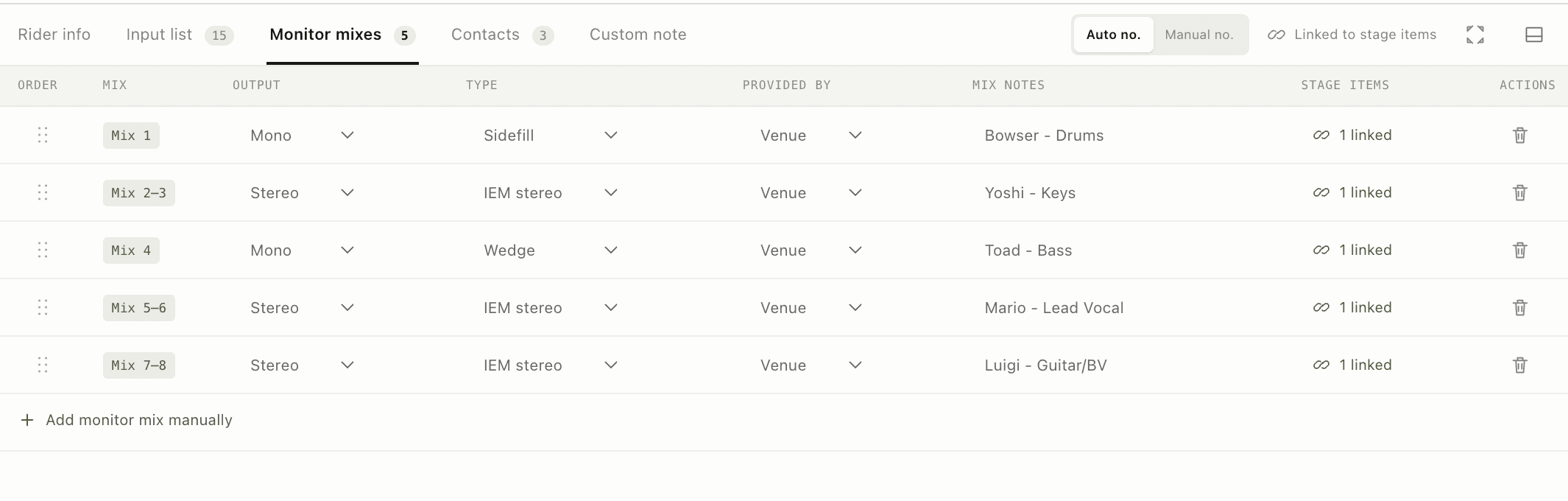
04 · Advance and show day
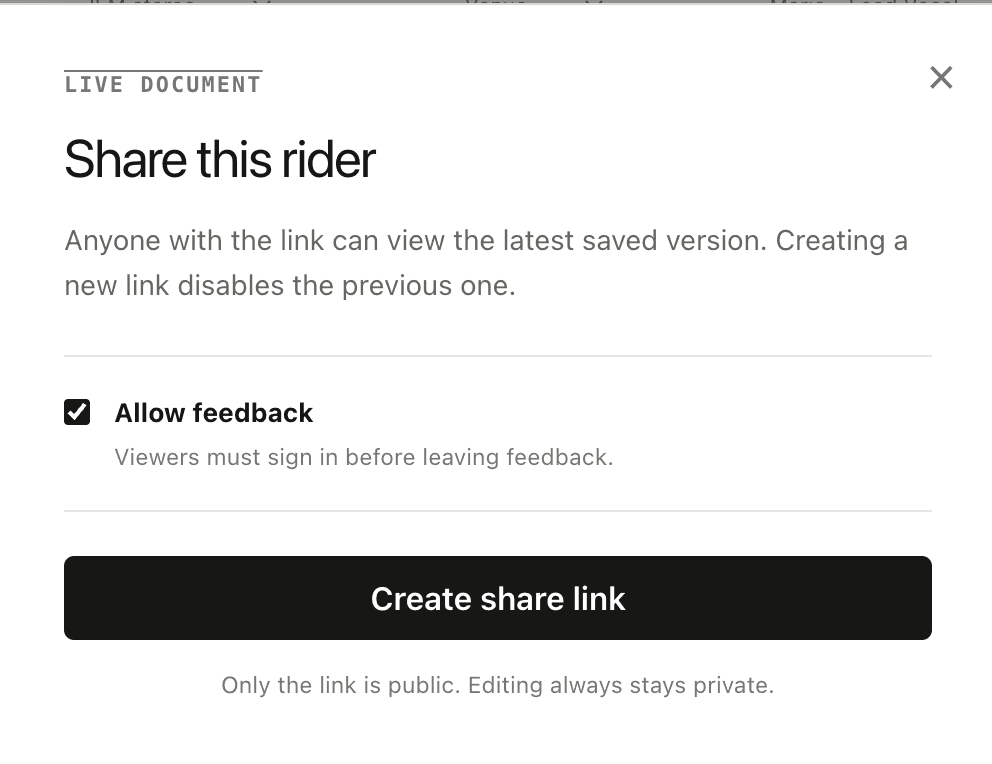
Send one current web link for the advance, then carry a print-ready PDF when the venue, Wi-Fi, or workflow calls for a fixed document.
Explore Live Share & PDF →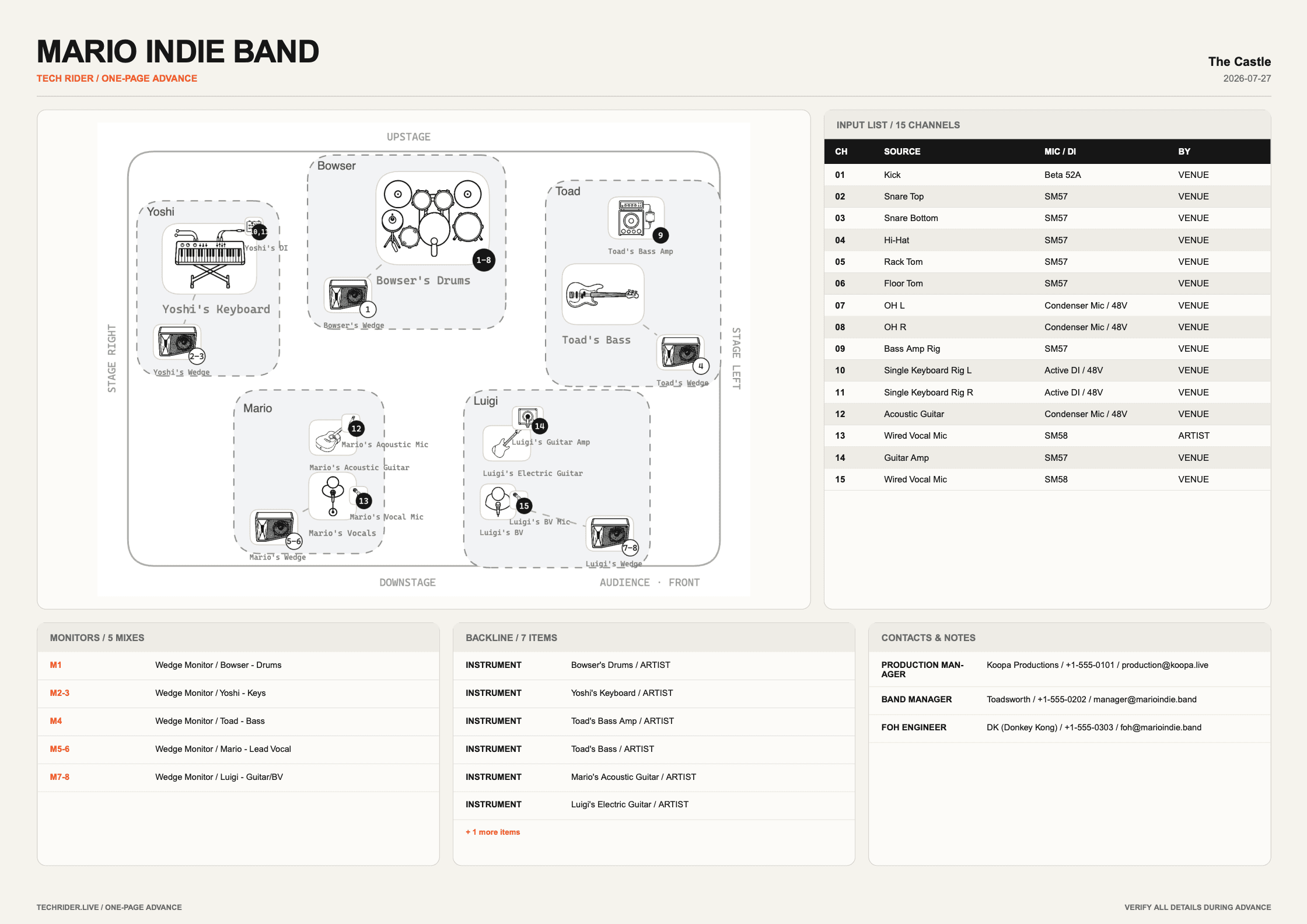
Export names and colors for X32, M32, and Yamaha RIVAGE without overwriting gain, patching, processing, routing, faders, or mutes.
Explore mixer export →
Built around the workflow
Start a new show from a proven rider structure instead of rebuilding the same production every time.
Keep FOH, monitor, tour, artist, and venue contacts with the rider and control how details are handed off.
Bring collaborators into the same working rider and revisit earlier saved versions when the production changes.
Ready for show day
Start with the stage, keep the technical details connected, and choose the right handoff for every role.
Start creating for free