Automatic or manual numbering
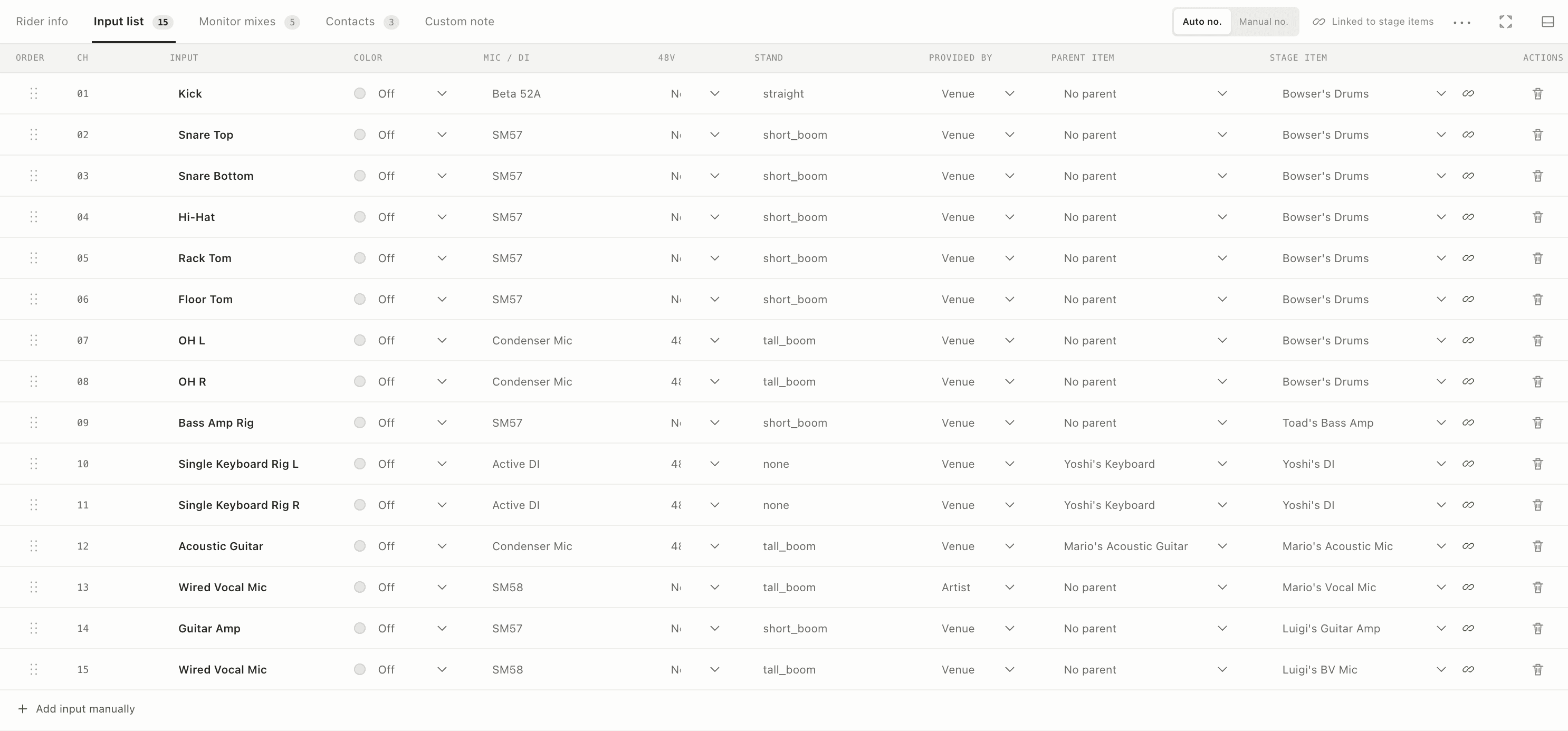
Keep a clean sequence automatically or preserve deliberate channel gaps when the production needs them.
Create linked input records while you build the stage. Change the show once and carry the latest channel information through the rider instead of reconciling separate files.

A patch sheet that stays connected to what is physically on stage.
Why it matters
Keep a clean sequence automatically or preserve deliberate channel gaps when the production needs them.
Track source, microphone or DI, stand, 48V, provider, parent item, and linked stage object.
See which channel belongs to which stage item before a rename, reorder, or deletion becomes a show-day surprise.
The workflow
The feature lives inside the same rider as the rest of the show, so the next person receives context—not another disconnected document.
Place an instrument or microphone on the stage.
Set up its linked channel and production details.
Use the live rider, PDF, or mixer export.
Connected features
Visual planning
Build a clear, venue-ready stage plan with performers, instruments, monitors, power, risers, and production notes on one measured canvas.
Monitor workflow
Plan wedges and IEMs with mono or stereo outputs, clear ownership, mix numbering, and links back to the people and devices on stage.
Advance and show day
Send one current web link for the advance, then carry a print-ready PDF when the venue, Wi-Fi, or workflow calls for a fixed document.