Creado para producción en vivo
Usa objetos específicos para artistas, instrumentos, audio, energía, tarimas, iluminación, vídeo e infraestructura.
Organiza el escenario visualmente, mantén cada objeto ligado al rider y entrega al recinto un plan que siga siendo claro el día del show.
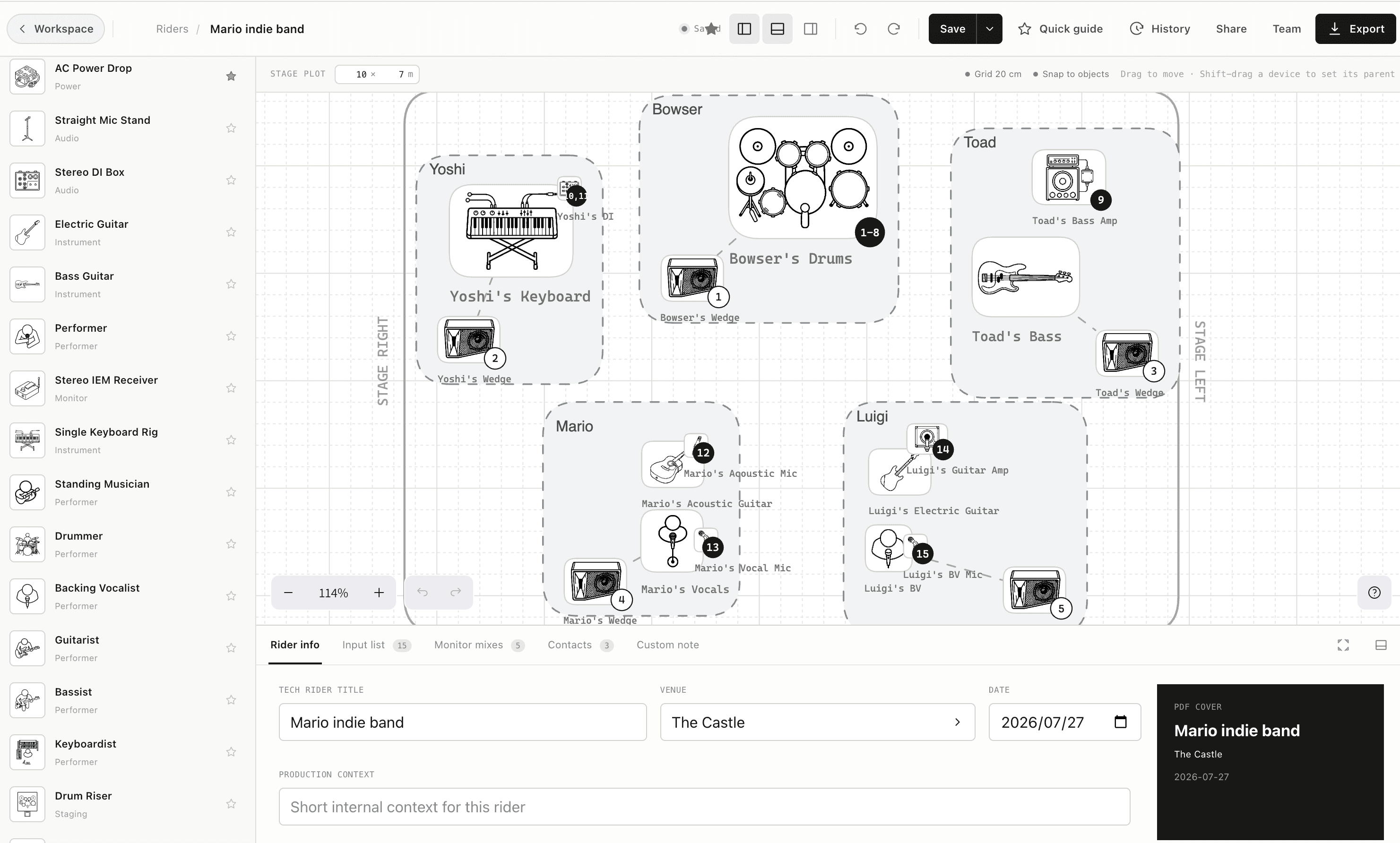
De una idea inicial a un plano listo para el advance en un solo espacio.
Por qué importa
Usa objetos específicos para artistas, instrumentos, audio, energía, tarimas, iluminación, vídeo e infraestructura.
Define dimensiones reales y coloca el equipo en una cuadrícula que representa el recinto del advance.
Guarda etiquetas, relaciones, notas y enlaces de entradas y monitores con el objeto que describen.
El flujo de trabajo
La función vive en el mismo rider que el resto del show, por lo que la siguiente persona recibe contexto, no otro documento aislado.
Introduce el ancho y la profundidad disponibles.
Añade artistas, equipo, monitores e infraestructura.
Vincula objetos del escenario con entradas y mezclas.
Funciones conectadas
Una fuente de verdad
Convierte objetos del escenario en una lista ordenada y mantén alineados etiquetas, micros, DI, soportes, phantom y responsables.
Flujo de monitores
Planifica wedges e IEM con salidas mono o estéreo, responsables claros, números de mezcla y vínculos a personas y dispositivos en escena.
Advance y día del show
Envía un enlace web siempre actualizado para el advance y usa un PDF imprimible cuando el recinto, la conexión o el flujo necesiten un documento fijo.