FOH vs Monitor Engineer: Roles, Mixes, and Show Handoffs
8 min read · Updated September 11, 2026 · working bands, tour managers, production managers, FOH and monitor engineers, venue technicians, live sound beginners
Compare FOH and monitor engineers by audience, console, mixes, signal flow, soundcheck duties, communication, and technical rider needs.
TL;DR — The FOH engineer mixes what the audience hears through the main PA; the monitor engineer mixes what performers hear through wedges or in-ear monitors. They may use separate consoles or one shared console, but they still need an agreed input list, gain structure, split, talkback method, and responsibility boundary. Small shows often combine both jobs. Larger or more demanding productions usually separate them so each engineer can serve a different listening audience.
Start with the two audiences
FOH means front of house. The FOH engineer normally works from a position in the audience area and builds the mix sent to the main loudspeaker system. That job includes musical balance, intelligibility, tone, dynamics, effects, playback, show cues, and appropriate level for the room and event.
The monitor engineer builds the mixes performers and stage crew need to hear. Those destinations may include floor wedges, side fills, drum fills, wired in-ear feeds, wireless IEM transmitters, cue wedges, or technician listens. The engineer is commonly positioned at the side of the stage so performers can communicate requests quickly.
Both engineers work on the same performance, but they judge success from different locations. A change that helps the room may not help a singer's IEM mix, and a louder wedge may make the FOH mix harder to control. Clear ownership prevents one problem from being solved by creating another.
Compare the responsibilities
| Area | FOH engineer | Monitor engineer |
|---|---|---|
| Primary listener | Audience | Performers and stage team |
| Main outputs | PA mains and, depending on system design, mix feeds for zones | Wedges, IEMs, side fills, drum fills, and cue outputs |
| Typical position | Audience area | Stage left or stage right |
| Mix count | Often one main program mix, plus required feeds or zones | One or more performer-specific mixes |
| Communication | Production, system team, artist representative, and venue | Performers, backline technicians, RF team, stage manager, and FOH |
| Soundcheck focus | Audience balance, tone, effects, cues, and PA interaction | Performer clarity, balance, feedback margin, IEM routing, and requests |
| Show focus | Translate the performance to the room | Keep every performer confident and informed |
This division is a practical starting point, not a universal staffing rule. A system technician may own PA prediction, tuning, processing, and coverage. A separate RF technician may coordinate wireless microphones and IEMs. A broadcast engineer may build an independent stream or recording mix. Write the actual boundary for the event instead of assuming every job title includes the same tasks.
Understand how the inputs reach both consoles
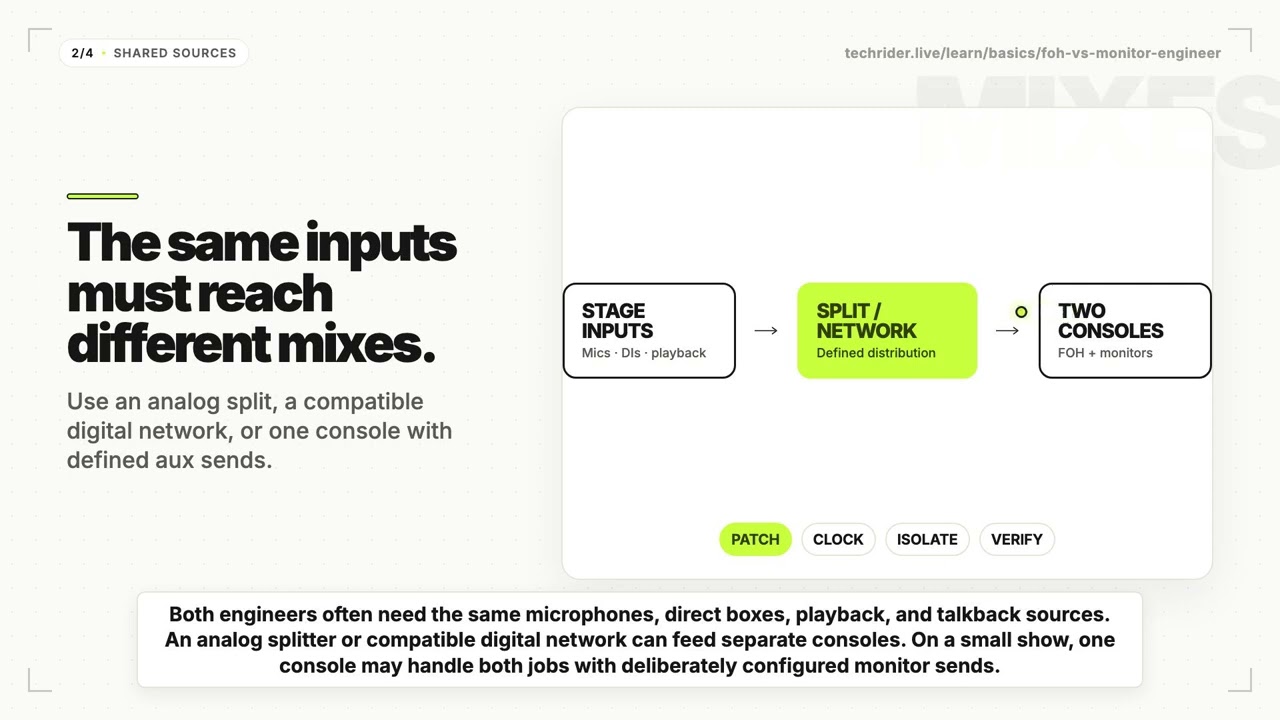
FOH and monitors often need the same microphone, DI, playback, and talkback sources. The production therefore needs a defined way to distribute inputs.
Analog split
An analog microphone splitter can send each stage input to separate FOH and monitor paths. The split design may include direct and transformer-isolated outputs. The team must agree which console supplies phantom power, how grounding is handled, where pads or filters belong, and which path technicians should test when a source fails.
Digital or network distribution
Compatible consoles and stage interfaces may share input signals over a digital audio network. Compatibility is more than fitting connectors: confirm protocol, sample rate, clock ownership, firmware, subscriptions or routing, channel capacity, redundancy, and control permissions. The digital audio network rider guide provides the broader handoff checklist.
One console for both jobs
At a smaller show, one engineer may mix FOH and monitors from the FOH console. Monitor sends usually use pre-fader aux buses so main-fader moves do not change performer balances. The engineer still needs to check each destination deliberately; standing in the audience does not reveal what a wedge or IEM user hears.
Use the pre-fader versus post-fader guide to document the send point rather than relying on console defaults.
Assign head-amp and gain ownership
When two consoles share a source, changing analog preamp gain can affect both engineers. Some systems provide gain tracking, digital trim, or separate control layers, but the behavior is product- and configuration-specific.
Agree before line check:
- which console or device owns each analog head amp;
- who supplies phantom power to each input;
- whether the other console receives gain tracking or uses digital trim;
- the nominal input level and pad state for playback or line sources;
- how an emergency gain change will be communicated;
- how saved scenes, scopes, and recalls affect shared resources.
The aim is not to freeze a poor input gain. It is to make changes deliberate and visible. The gain-staging guide explains the complete level path.
Run line check and soundcheck as one workflow
A reliable workflow moves from connectivity to performance decisions.
Before the artist arrives
- Compare the stage plot, input list, console files, and physical patch.
- Label shared inputs and every monitor destination consistently.
- Confirm split, clock, head-amp, phantom-power, talkback, and cue-listen behavior.
- Test playback, spare lines, communication channels, and recovery paths.
- Verify that wedge and IEM outputs cannot be confused at the patch.
During line check
The patch team confirms that each source reaches its intended destinations. FOH and monitors should use the same channel names and call out discrepancies once. The line check versus soundcheck guide helps keep connectivity testing separate from musical mixing.
During soundcheck
Monitor requests should be handled without silently changing shared resources. FOH listens for audience balance and interaction with the PA; monitors checks each performer destination and safe operating behavior. When time is short, agree on the order of priority before starting instead of switching unpredictably between room and stage requests.
Build a communication plan
Fast communication is part of the audio system. Decide how the engineers, stage manager, and performers will talk before the room becomes loud.
Useful options include console talkback, a cue wedge, shout microphones, production intercom, agreed hand signals, and a named person who consolidates artist requests. Keep talkback destinations explicit so private production communication does not reach the PA or an unintended IEM mix.
During the show, use short messages that identify the source, destination, and requested action. “Lead vocal up in mix 3” is safer than “more vocal.” If a change affects shared gain, patching, RF, or playback, acknowledge it before acting.
Decide whether the show needs two engineers
A separate monitor engineer becomes more valuable as the number and sensitivity of performer mixes increase. Consider:
- the number of inputs and monitor destinations;
- wedges, IEMs, or a combination of both;
- wireless coordination and pack management;
- scene changes, guest performers, and cues;
- stage volume and feedback risk;
- whether a carried console or split is already part of the production;
- soundcheck and changeover time;
- the consequences of an interrupted performer mix.
A small acoustic act with two simple wedges may work well with one competent engineer. A large band using many IEM mixes, cues, talkbacks, and wireless channels may require dedicated monitors and possibly a separate RF technician. Choose staffing from workload and risk, not prestige.
Put the handoff in the technical rider
| Rider field | Information to provide |
|---|---|
| Personnel | Names, roles, contact method, and who is carried or locally supplied |
| Inputs | Current numbered input list, source, connector, mic or DI, phantom-power note, and stand |
| Split | Analog or digital method, location, owner, output allocation, and isolation where relevant |
| Consoles | Exact or acceptable systems, required input and bus capacity, stage interfaces, and software needs |
| Gain | Head-amp owner, phantom-power owner, gain-tracking behavior, and change protocol |
| Monitors | Destination names, wedge or IEM type, stereo or mono, transmitter ownership, and spare plan |
| Outputs | PA handoff, monitor patch, cue paths, recording or broadcast feeds, and processing boundary |
| Communication | Talkback, shout, intercom, hand signals, and stage contact |
| Files | Console-file version, show date, author, compatibility, and fallback documentation |
| Approval | Who may approve substitutions or change the agreed design |
Pair this with the FOH console rider, monitor console rider, and current input list or patch sheet.
FAQ
What is the difference between a FOH engineer and a monitor engineer?
The FOH engineer mixes the program heard by the audience through the PA. The monitor engineer mixes the wedges or in-ear feeds heard by performers. Their consoles, locations, and output responsibilities may differ even when they share the same stage inputs.
Does a small show need a separate monitor engineer?
Not always. One engineer can mix FOH and monitors when the input count, monitor mixes, stage conditions, and schedule are manageable. The rider should still say who handles monitor requests and how those mixes are checked.
Who controls stage monitors at a concert?
It depends on the production. A dedicated monitor engineer may control them from a side-stage console, or the FOH engineer may control pre-fader sends from one console. Record the actual owner instead of assuming.
Do FOH and monitor engineers share the same inputs?
Frequently, yes. An analog splitter or compatible digital network can distribute the sources. The team must define patching, head-amp control, phantom power, clocking, and fault isolation for the chosen method.
What should a rider tell FOH and monitor engineers?
Provide personnel and contacts, input list, stage plot, split and console design, gain ownership, monitor destinations, output patch, talkback method, show-file details, spares, and substitution authority.
Give every mix a named owner
Build the stage plot, input list, monitor mixes, and technical rider in Techrider.live, then invite the responsible engineers to edit, save, and inspect the current document history. When every source, destination, and decision has a named owner, FOH and monitors can work as one production without pretending they are the same job.
Related guides
What Is a Stage Plot? (And How to Read One)
A stage plot is a top-down map of your band's stage setup. Learn what goes on it, how it differs from an input list and tech rider, and what makes one engineer-readable.
6 min readBasicsWhat Is a Tech Rider? (Sections Explained)
A tech rider is the full technical package a band sends a venue — console, monitors, PA, backline, power, stage plot, input list, hospitality. Learn every section.
7 min readBasicsStage Plot Symbols & Legend Explained
A visual glossary of stage plot symbols — mics, DI boxes, wedges, IEM packs, drums, amps, keys, power drops. Learn what each icon means and how to read any stage plot.
7 min read