IEM vs Wedge Monitors: Which Is Better for Your Band?
6 min read · Updated July 16, 2026 · bands, musicians, monitor engineers, production managers
Compare IEMs and stage wedges by sound, isolation, feedback, cost, portability, communication, setup, and the details your monitor engineer needs.
TL;DR — Wedge monitors are simple, shareable, and preserve a natural connection to the room, but they add stage volume and feedback risk. In-ear monitors (IEMs) offer consistent isolation, mobility, and detailed personal mixes, but require suitable earpieces, limiting, ambience planning, more outputs, and disciplined setup. Neither is universally better: choose per performer and document every destination, mix number, mono/stereo format, ownership, and fallback.
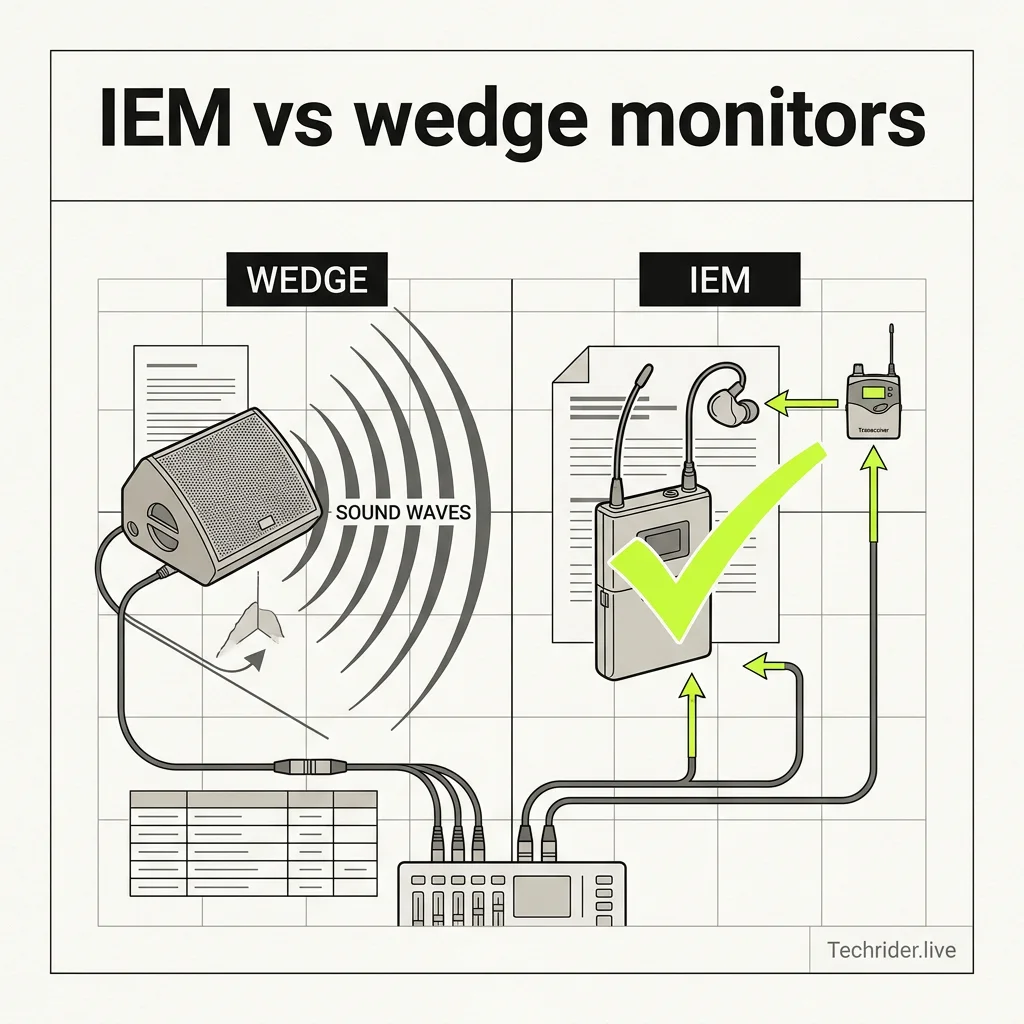
Table of contents
- The difference in one table
- When wedges work best
- When IEMs work best
- Hearing safety and isolation
- Can you combine IEMs and wedges?
- What to put in the rider
- FAQ
The difference in one table
| Decision factor | Wedge monitors | In-ear monitors |
|---|---|---|
| Listening method | Loudspeaker aimed at performer | Earpieces fed by wired pack or wireless receiver |
| Stage volume | Adds acoustic energy and spill | Can reduce monitor spill when used well |
| Movement | Best within the wedge coverage area | Mix follows the performer |
| Room connection | Naturally includes stage and audience sound | Isolation may require ambience microphones |
| Feedback | Mic-to-speaker path can feed back | No monitor loudspeaker near vocal mic |
| Mix detail | Limited by stage acoustics and available level | Detailed personal mix possible |
| Shared use | One wedge mix can serve nearby performers | Earpieces should be personal; mixes can be shared only by choice |
| Outputs | Usually one mono output per mix | Mono or stereo; stereo consumes two outputs |
| Artist equipment | Often venue-provided | Earpieces and packs are commonly artist-specific |
| Failure mode | Audible speaker/cable/amp issue | Pack, RF, battery, earphone, or feed issue |
The system choice and the mix are separate decisions. Four performers can use four destinations yet share two mixes, or use one physical wedge each with unique content. Document both.
When wedges work best
Wedges remain effective for club shows, guest performers, short changeovers, and musicians who need a fast, familiar setup. A house system can place a wedge, patch one output, and begin a line check without coordinating personal earpieces or wireless frequencies.
Choose wedges when:
- the act does not carry or rehearse with an IEM rig;
- performers value natural stage and audience cues;
- changeover time makes personal-system integration impractical;
- the venue already provides appropriate wedges and amplification;
- a performer needs only a simple vocal or instrument reference;
- cost and operational complexity matter more than isolation.
Placement matters. Put the wedge where the performer can hear it and where the vocal microphone offers useful rejection. Keep its mix focused: adding every channel usually reduces clarity and available gain.
When IEMs work best
IEMs are valuable for touring consistency, mobile performers, click tracks, cues, complex arrangements, and stages where reducing spill helps FOH. A well-prepared IEM system lets each performer hear a stable personal balance across different rooms.
Choose IEMs when:
- the band rehearses with them and owns suitable earpieces;
- click, count, cue, or playback information must remain private;
- performers move beyond a wedge's coverage area;
- lower stage spill improves the audience mix or recording;
- the production can support enough mix buses, outputs, splits, and RF coordination;
- a competent person is responsible for gain structure and limiting.
Wireless is not required. Drummers and keyboard players can often use wired packs, reducing RF coordination and battery needs. A wired system still requires a safe cable path and strain relief.
Hearing safety and isolation
Neither technology is automatically safe. A loud wedge can expose performers to high sound levels; an IEM driver can also produce harmful levels directly at the ear. IEM isolation may allow a useful mix at a lower level, but only if the system is fitted, gain-staged, limited, and operated responsibly.
Use these controls:
- correctly fitted earpieces with appropriate isolation;
- system limiters configured for the complete signal chain;
- conservative pack level and a repeatable startup position;
- both earpieces rather than one ear out, where practical;
- ambience microphones for audience and stage connection;
- talkback and cue paths that do not depend on shouting off-mic;
- breaks and professional hearing assessment when needed.
Shure's personal-monitor guidance emphasizes both the potential for reduced stage exposure and the fact that personal systems can still generate very high sound pressure levels. Technology supports a safer workflow; it does not replace level management.
Can you combine IEMs and wedges?
Yes. Hybrid monitoring is common: a drummer uses wired IEMs, the singer uses wireless IEMs, and a guest musician uses a wedge. The main challenges are output count, spill, and communication.
For a hybrid plan:
- Give each destination a stable ID: Mix 1, Mix 2, and so on.
- State whether it is mono or stereo.
- Name the performer and device.
- Identify artist-provided and venue-provided equipment.
- Reserve outputs and stage-box paths.
- Define a fallback for show-critical IEM destinations.
- Confirm RF ownership for wireless systems.
Do not add a “comfort wedge” automatically. It can reintroduce stage volume and feedback without solving a missing-IEM-content problem.
What to put in the rider
The stage plot should show every wedge or IEM performer position with a mix ID. The monitor table should carry the operational detail.
| Mix | Performer | Destination | Format | Supplied by | Key content | Notes |
|---|---|---|---|---|---|---|
| 1 | Lead vocal | Wireless IEM | Stereo | Artist | Vocal, keys, tracks, ambience | Artist carries ears and receiver rack |
| 2 | Guitar | Wedge | Mono | Venue | Vocal, guitar, kick | Downstage stage right |
| 3 | Drums | Wired IEM | Stereo | Artist | Full band, click, cues | Click must not feed PA |
Also state:
- required mix-bus and physical-output count;
- split or stage-box connection;
- transmitter location and antenna plan;
- RF frequency-coordination contact;
- talkback and ambience inputs;
- whether the artist supplies an engineer;
- fallback and spare-pack plan.
For step-by-step documentation, read Configuring Monitor Mixes & IEMs.
FAQ
Are IEMs better than stage monitors?
IEMs can provide greater isolation, mobility, consistency, and mix detail. Wedges can be faster, simpler, less isolating, and easier for guest performers. The better system is the one the performer has rehearsed with and the production can operate correctly.
Do in-ear monitors protect hearing?
They can support lower listening levels by isolating outside sound, but they can also produce damaging levels. Proper fit, limiting, gain structure, conservative volume, and responsible use are essential.
Can a band use IEMs and wedges together?
Yes. Assign each performer a documented destination and mix, then plan the required outputs, stage positions, spill, communication, and fallback as one hybrid system.
What do musicians hear in their IEMs?
Usually a personal balance of their own source, other performers, click or cues when used, talkback, and ambience. The content should be intentionally agreed rather than copied from the FOH mix.
Do I need a monitor engineer for IEMs?
Not always, but someone must own the mixes, patch, gain structure, limiting, RF, and troubleshooting. Complex or high-channel-count shows benefit greatly from a dedicated monitor engineer.
Document the monitor decision once
Build your monitor plan in Techrider.live, connect each mix to its stage destination, and share the current Rider with the venue before show day.
Last updated: 2026-07-16 · Technical reference checked against Shure personal-monitor guidance and reviewed for live production workflows.
Related guides
What Is a Stage Plot? (And How to Read One)
A stage plot is a top-down map of your band's stage setup. Learn what goes on it, how it differs from an input list and tech rider, and what makes one engineer-readable.
6 min readBasicsWhat Is a Tech Rider? (Sections Explained)
A tech rider is the full technical package a band sends a venue — console, monitors, PA, backline, power, stage plot, input list, hospitality. Learn every section.
7 min readBasicsStage Plot Symbols & Legend Explained
A visual glossary of stage plot symbols — mics, DI boxes, wedges, IEM packs, drums, amps, keys, power drops. Learn what each icon means and how to read any stage plot.
7 min read