Preamp Gain vs Digital Trim on a Mixer: Who Controls What?
7 min read · Updated September 20, 2026 · FOH and monitor engineers, recording engineers, system technicians, production managers, and live sound beginners
Compare analog preamp gain and digital trim on a live sound mixer, assign shared head-amp ownership, protect recordings, and document the handoff.
TL;DR — Preamp gain changes the analog level before conversion and usually belongs to a physical input socket. Digital trim changes level inside one console or processing channel after conversion. Trim cannot repair analog clipping, but it can let FOH, monitors, recording, or double-patched channels adjust their own working level without moving a shared head amp. Set the preamp from the real source, name one owner, test every split, and document gain-tracking behavior.
Table of contents
- Define the two controls
- Follow the signal path
- Assign shared-preamp ownership
- Build a safe workflow
- Document the handoff
- FAQ
Define the two controls
Preamp gain controls an analog amplifier near the input socket. It raises a microphone or other source to a useful level before the analog-to-digital converter in a digital system. Pad and phantom-power controls commonly belong to the same socket-level boundary.
Digital trim is a gain stage after conversion. It commonly offers both boost and attenuation and belongs to a console channel rather than the shared physical socket. Exact names, ranges, tap points, and recall behavior vary by console, so the current manual and signal-flow diagram are authoritative.
| Question | Preamp gain | Digital trim |
|---|---|---|
| Where does it act? | Before analog-to-digital conversion | In the digital channel path |
| What does it protect? | Converter headroom and analog noise performance | Working level inside that channel |
| Can it undo analog clipping? | It can prevent it when set correctly | No |
| Who may hear the change? | Every destination using that socket | Usually only the channel or console containing the trim |
| Typical shared-system use | Set once by the named head-amp owner | Local compensation at FOH, monitors, broadcast, or recording |
The word gain is also used broadly for many level controls. Read the block diagram instead of assuming that every knob labelled gain controls the preamp.
Follow the signal path
A simplified digital-mixer path is:
Source → input socket → pad/preamp → converter → digital trim → channel processing → buses → outputs
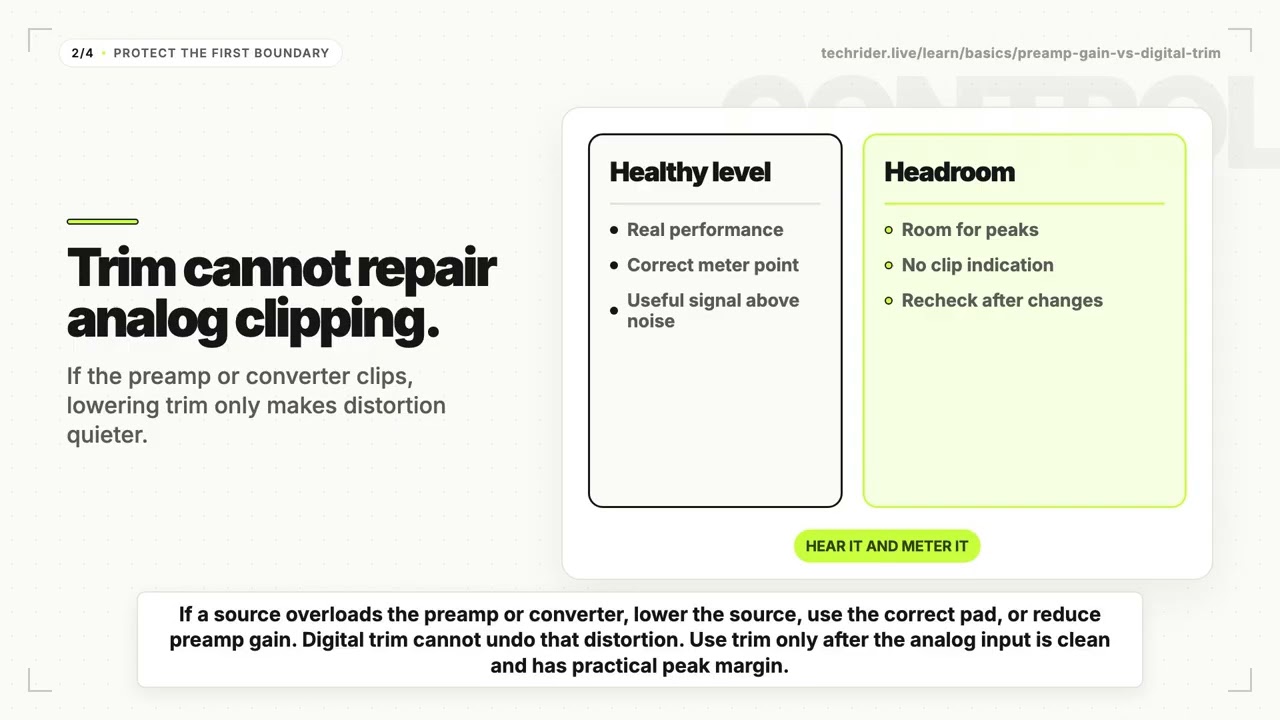
If the source overloads the preamp or converter, lowering digital trim only makes the distorted signal quieter. Reduce the source output where appropriate, engage a suitable pad, or lower preamp gain. See pad switch versus gain for that overload boundary.
If the analog input is clean but one console channel is inconveniently high or low, digital trim can reposition it without changing the shared preamp. This is useful when one socket feeds multiple channels, consoles, or record paths.
Check every tap point
“Direct out,” “post preamp,” and “record send” do not guarantee the same location on every desk. A direct output may be before or after trim, processing, mute, or fader. Verify the configured tap point with a controlled signal and watch every destination while changing one control at a time.
Assign shared-preamp ownership
When FOH and monitors receive a digital split from one stage box, both mixes may depend on the same analog head amp. A late preamp move can change level at both consoles and at any recording or broadcast feed that shares the socket.
Use this ownership model:
- Name one console or engineer as the preamp owner.
- Set analog gain during line check from the loudest realistic performance level.
- Preserve headroom rather than aiming for a universal meter number.
- Lock or remove surface access to shared preamps where the system supports it.
- Let each destination use its own digital trim for local balance.
- Communicate before any unavoidable head-amp change.
Some systems offer gain tracking: when the owner changes the preamp, another console automatically moves its digital trim in the opposite direction. This can stabilize the downstream level, but it is not magic isolation. Confirm which consoles participate, the available trim range, scene-recall behavior, and what happens when tracking reaches its limit.
Build a safe workflow
1. Patch by socket and destination
Create a map that connects each stage-box socket to FOH, monitors, recording, broadcast, and any double-patched channel. Stable channel names make changes traceable.
2. Start with local trim at unity
Set digital trim to zero unless there is a defined reason to offset it. Hidden offsets make later troubleshooting harder.
3. Set the shared preamp from the source
Ask for the loudest expected vocal, instrument, or playback passage. Use input and pre-converter metering if available. Leave practical peak margin and verify that phantom power and pad state match the device.
4. Verify every destination
Check FOH, monitors, recording, streams, and tie lines. Change preamp gain by a small known amount and confirm which paths move; return it to the agreed value. Then move local trim and confirm that only its intended path changes.
5. Test recall and recovery
Save the show file, recall a safe test scene, and confirm preamp scope, trim scope, and gain tracking. Record a fallback if the digital split or remote stage box fails.
This workflow extends the broader gain-staging guide and FOH versus monitor engineer handoff.
Document the handoff
| Field | Useful entry |
|---|---|
| Input system | Stage box model and socket range, confirmed with the provider |
| Destinations | FOH, monitors, multitrack, broadcast |
| Preamp owner | Monitor engineer owns head amps during the show |
| Local control | FOH uses digital trim after soundcheck |
| Gain tracking | Enabled between named consoles; verify range and recall |
| Recording tap | Socket tie line before channel trim and processing |
| Change protocol | Call preamp changes over comms before moving them |
| Fallback | Analog split or agreed single-console workflow, if provided |
Describe the control boundary and required outcome rather than promising a feature that has not been confirmed with the venue. A technical rider can request a compatible split workflow; the advance should establish the exact console, stage box, firmware, routing, and owner.
Common mistakes
Using trim to hide preamp clipping. The distortion already exists before trim.
Letting two engineers chase the same input. Independent preamp changes destabilize both mixes.
Assuming a direct output bypasses trim. Tap points are configurable and console-specific.
Recalling socket settings unexpectedly. Show files, scenes, and libraries may scope preamps differently from channel processing.
Recording without checking the split. A clean live mix does not prove that the record feed has safe level or the intended processing.
FAQ
What is the difference between preamp gain and digital trim?
Preamp gain changes the analog input before conversion and may affect every destination sharing that socket. Digital trim changes level after conversion inside a particular channel or console.
Does digital trim prevent clipping at the preamp?
No. Lower trim can reduce a clipped signal's digital level, but it cannot remove distortion created in the analog preamp or converter. Correct the earlier stage.
Who should control gain when FOH and monitors share a stage box?
Name one preamp owner during the advance—often the console directly connected to the stage box—then let other destinations use local digital trim. The exact choice depends on the system topology and crew workflow.
What is gain tracking on a digital mixer?
Gain tracking compensates for a shared preamp change by moving digital trim elsewhere in the system. Verify compatibility, range, routing, and recall behavior before relying on it.
Should preamp gain and trim be documented in a technical rider?
Document the shared-input topology, preamp owner, local-trim policy, recording tap, gain-tracking plan, and change protocol. Exact gain values are usually established from the real source during line check.
Give every shared input one owner
Build the current Rider in Techrider.live, keep input names consistent across the stage plot and channel list, and record who can edit the shared head amps. Clear ownership protects FOH, monitors, and recording from the same unexpected gain move.
Last updated: 2026-09-20 · Reviewed for analog preamp, digital trim, shared-stage-box, gain-tracking, recording, and technical-rider workflows.
Related guides
What Is a Stage Plot? (And How to Read One)
A stage plot is a top-down map of your band's stage setup. Learn what goes on it, how it differs from an input list and tech rider, and what makes one engineer-readable.
6 min readBasicsWhat Is a Tech Rider? (Sections Explained)
A tech rider is the full technical package a band sends a venue — console, monitors, PA, backline, power, stage plot, input list, hospitality. Learn every section.
7 min readBasicsStage Plot Symbols & Legend Explained
A visual glossary of stage plot symbols — mics, DI boxes, wedges, IEM packs, drums, amps, keys, power drops. Learn what each icon means and how to read any stage plot.
7 min read